Shift your workflow.
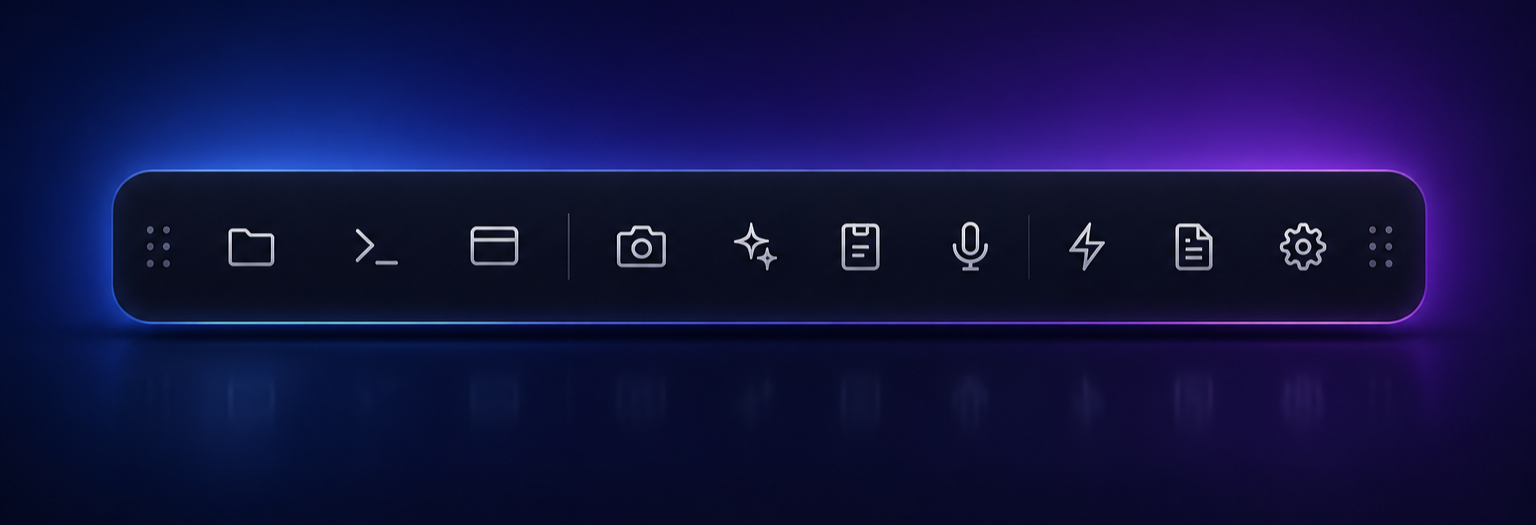
DockShift brings AI, terminals, workspaces, clipboard history, screenshots, voice tools, and powerful desktop utilities into one fast floating dock.
Launch instantly with Ctrl Shift D
AI Assistant
OpenAI@, then a
domain with at least one dot.Terminal
PS ~/dockshift › npm run build
vite v7.3.3 building for production…
✓ 142 modules transformed
rendering chunks…
computing gzip size…
✓ built in 2.19s
PS ~/dockshift › ▌
Clipboard History
Today
git checkout -b feat/sv-animations
Screenshot 2026-05-14 at 14.22.png
github.com
https://github.com/Salah-XD/dockshift
Quick Launcher
Quick Notes
Today's todos
- Ship dock animation rewrite
- Add interactivity to demo
- Polish glow effects
// remember: prefers-reduced-motion → no rotate
Workspaces
Screenshots
Today
Browser
Voice to Text
Building a productivity dock for Windows that brings AI, terminals, and workspaces▌
Settings
Workspaces
Save your desktop. Restore in one click.
Snapshot every open app, window, and layout — then put your full project back exactly where you left it. The one feature no other Windows tool ships out of the box.
One dock. Your entire workflow.
Everything you need stays within reach.
DockShift combines AI, terminals, workspaces, clipboard history, screenshots, notes, and productivity tools into one fast floating dock.
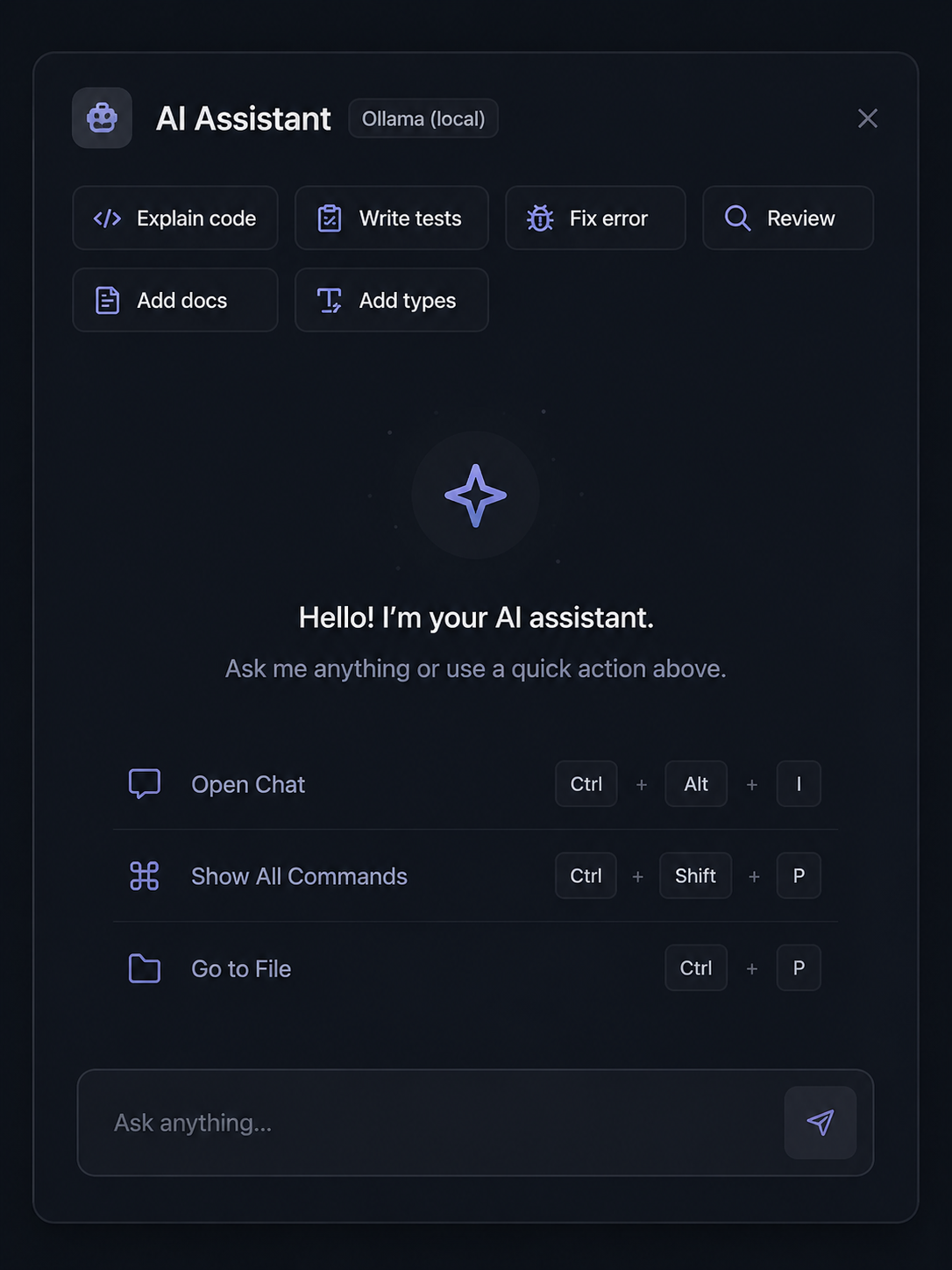
AI Assistant
AI that works where you work
Connect GPT, Claude, Gemini, OpenRouter, or Ollama in seconds and use AI directly inside your workflow.
Explain code, fix errors, generate tests, and work faster without switching apps.
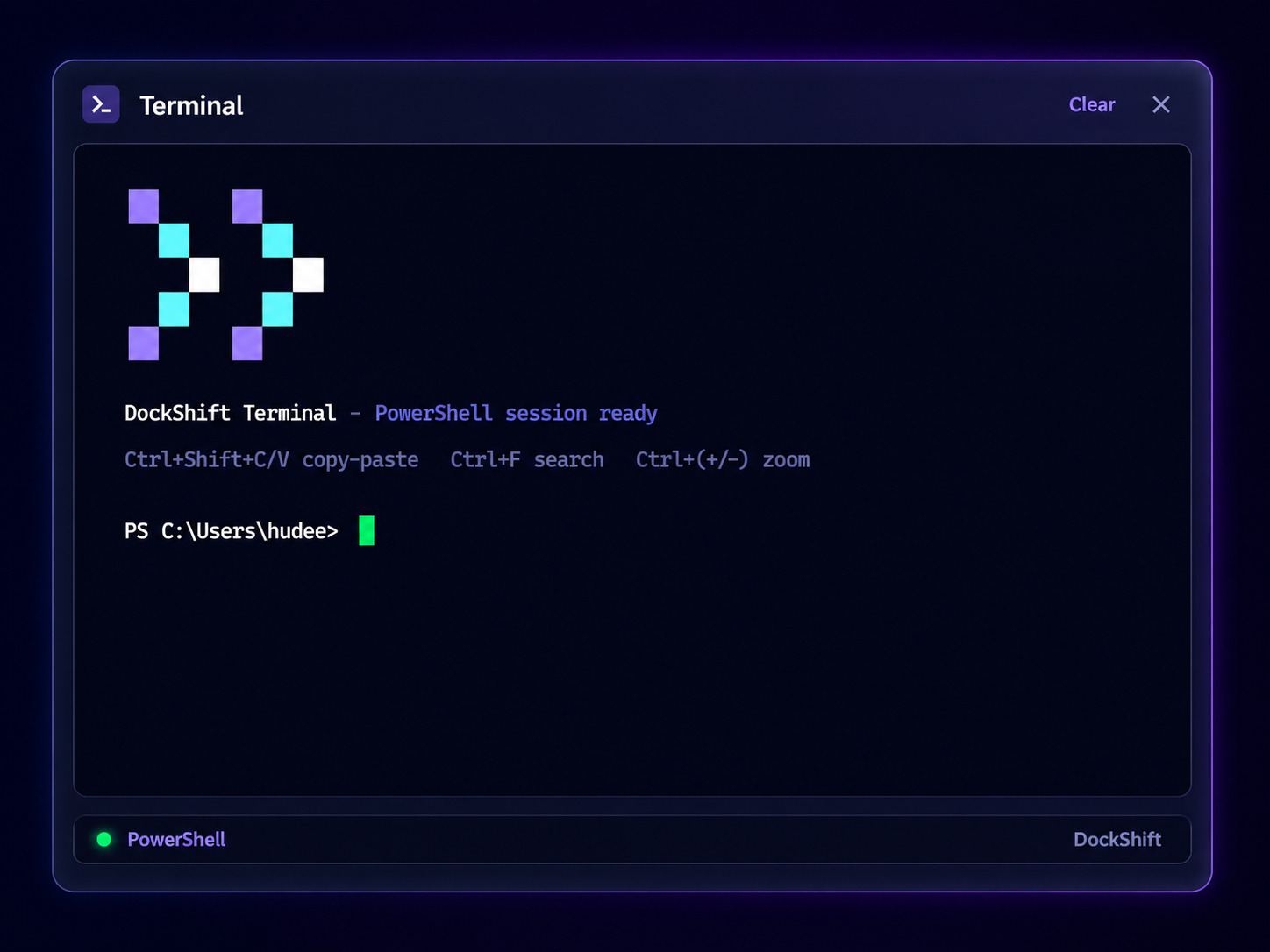
Terminal
A terminal that feels native
GPU accelerated and persistent with search, font zoom, clickable links, and smooth scrolling built in.
Always available one shortcut away without opening another window.
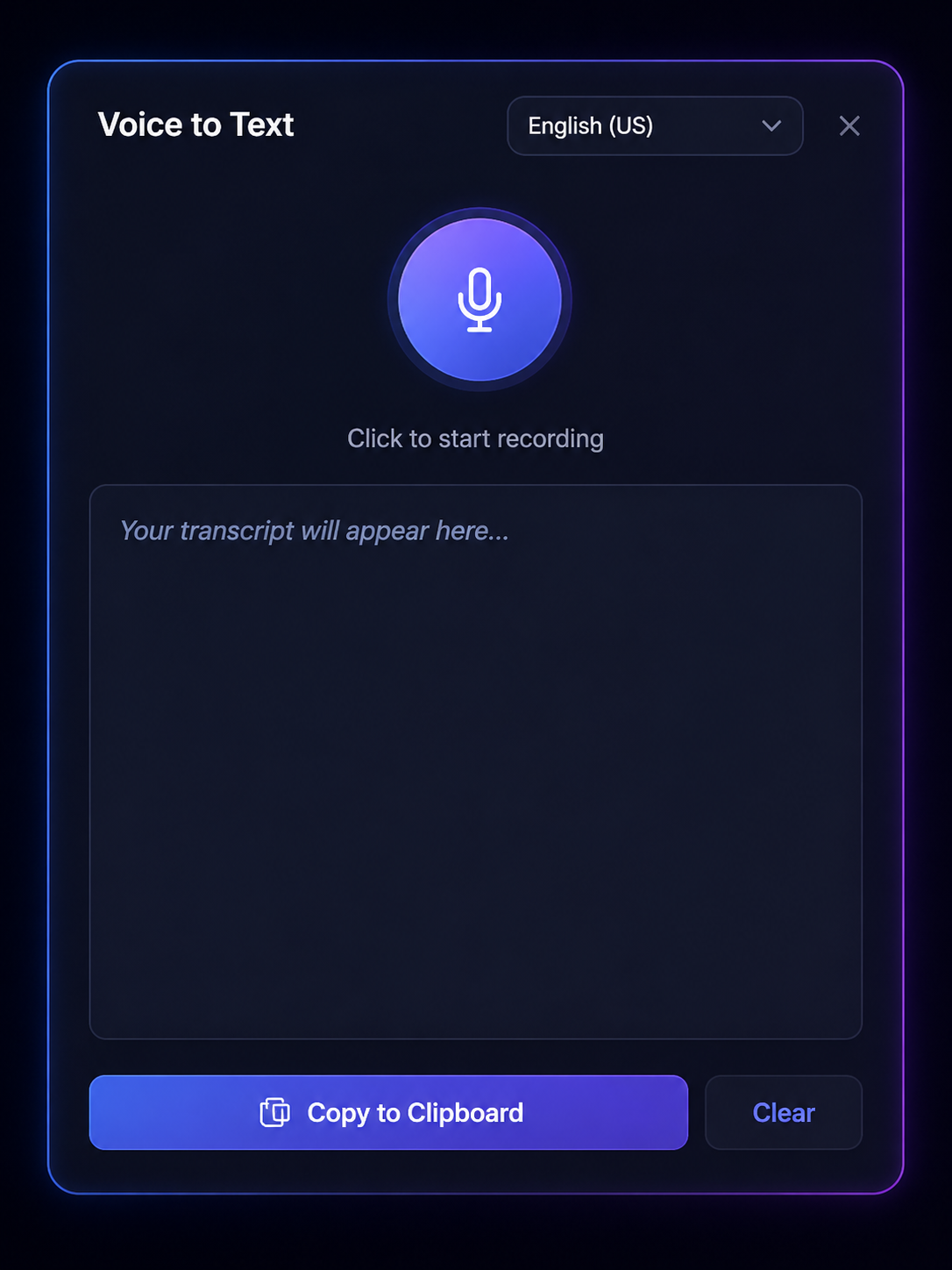
Voice to Text
Speak naturally. Get instant text.
Record voice instantly and turn speech into text directly inside DockShift.
Perfect for notes, prompts, brainstorming, and fast capture without breaking focus.
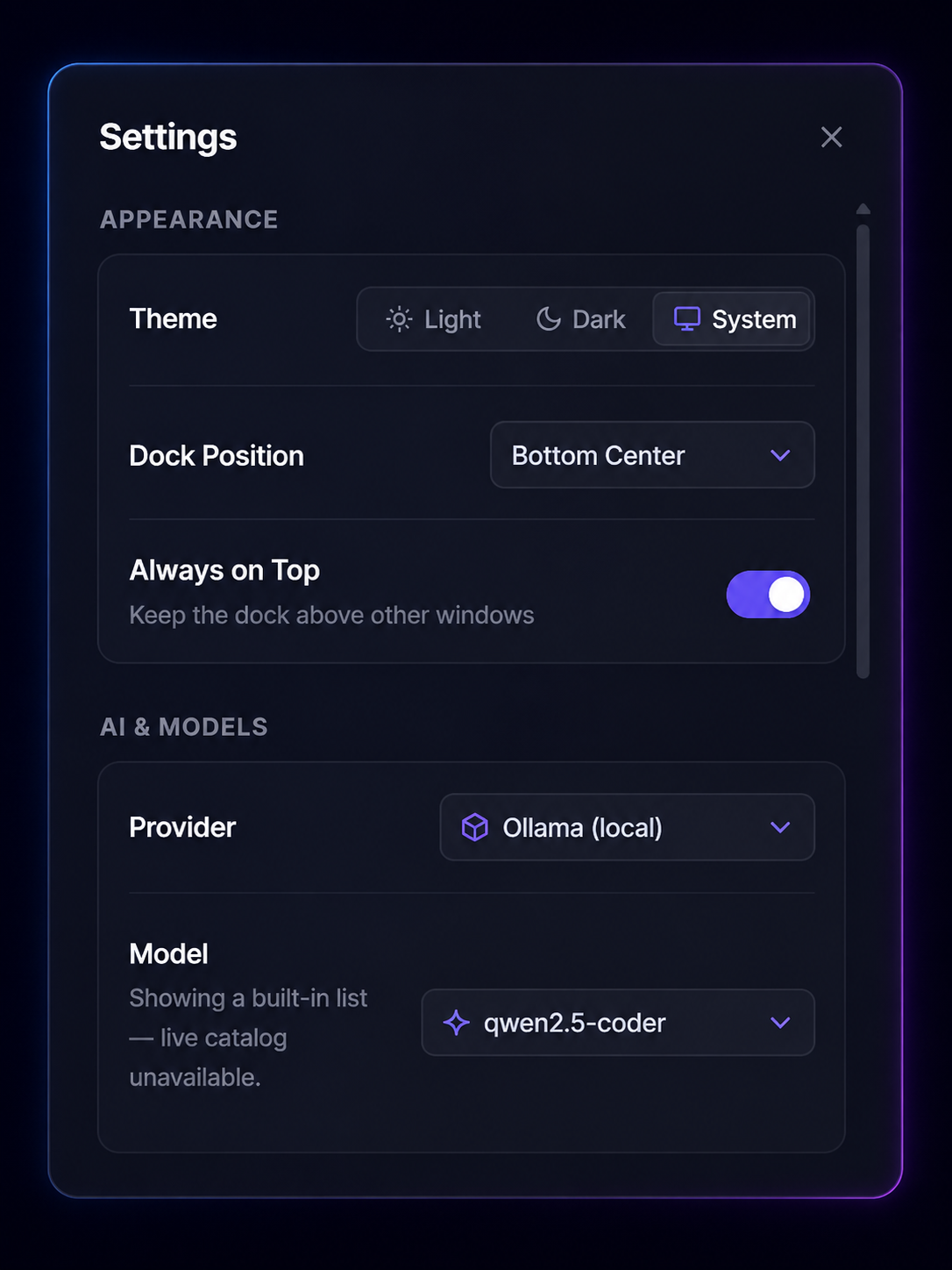
Settings
Built around your workflow
Customize themes, AI providers, dock position, startup behavior, shortcuts, clipboard limits, and more.
Every preference syncs perfectly with your setup and persists across sessions.
More tools. Less friction.
Clipboard History
Instantly access copied text, images, files, and links with previews and smart filtering.
Quick Launcher
Launch apps instantly with keyboard driven search and real app icons.
Quick Notes
Capture ideas, snippets, and todos in a clean editor built for fast thinking.
Screenshots
Capture and organize screenshots without leaving your workflow.
Built in Browser
Open docs, references, and quick searches directly inside DockShift.
Floating Panels
Move, resize, and organize every panel exactly how you want.
Privacy first
Built with security at the core.
DockShift is open source, transparent, and built with modern desktop security practices from day one.
Sandboxed renderer
The UI runs isolated from direct system access for maximum safety.
Allowlisted IPC
Every communication channel is explicitly controlled and validated.
Encrypted secrets
API keys are securely stored using the operating system keystore.
Hardened terminal
Terminal sessions are protected against unsafe injections and leaks.
How it compares
Built to do what the others can't.
DockShift isn't trying to replace your launcher. It's the workflow surface around it.
| Feature | DockShift | PowerToys Run | Flow Launcher | Wox |
|---|---|---|---|---|
| Open source | ||||
| Clipboard history | – | – | ||
| Workspace snapshots | – | – | – | |
| Built-in AI assistant | – | Plugin | – | |
| Real terminal (xterm.js + pty) | – | – | – | |
| Voice-to-text capture | – | – | – | |
| Bring-your-own-model | – | – | – | |
| Floating dock UI | – | – | – | |
| Fuzzy app launcher | ||||
| Actively maintained (2026) | – |
DockShift
- Open source
- ✓
- Clipboard history
- ✓
- Workspace snapshots
- ✓
- Built-in AI assistant
- ✓
- Real terminal (xterm.js + pty)
- ✓
- Voice-to-text capture
- ✓
- Bring-your-own-model
- ✓
- Floating dock UI
- ✓
- Fuzzy app launcher
- ✓
- Actively maintained (2026)
- ✓
PowerToys Run
- Open source
- ✓
- Clipboard history
- ✓
- Workspace snapshots
- –
- Built-in AI assistant
- –
- Real terminal (xterm.js + pty)
- –
- Voice-to-text capture
- –
- Bring-your-own-model
- –
- Floating dock UI
- –
- Fuzzy app launcher
- ✓
- Actively maintained (2026)
- ✓
Flow Launcher
- Open source
- ✓
- Clipboard history
- –
- Workspace snapshots
- –
- Built-in AI assistant
- Plugin
- Real terminal (xterm.js + pty)
- –
- Voice-to-text capture
- –
- Bring-your-own-model
- –
- Floating dock UI
- –
- Fuzzy app launcher
- ✓
- Actively maintained (2026)
- ✓
Wox
- Open source
- ✓
- Clipboard history
- –
- Workspace snapshots
- –
- Built-in AI assistant
- –
- Real terminal (xterm.js + pty)
- –
- Voice-to-text capture
- –
- Bring-your-own-model
- –
- Floating dock UI
- –
- Fuzzy app launcher
- ✓
- Actively maintained (2026)
- –
Install
Grab the installer.
Direct download for Windows. winget & Scoop coming soon.
DockShift-Setup-0.10.1.exe
v0.10.1 · 110.0 MB · Adds Start Menu shortcut & auto-updates
DockShift-0.10.1.exe
v0.10.1 · 109.8 MB · Run from anywhere, USB friendly
Windows says “Unknown publisher”?
Yes — DockShift is open source and not yet code-signed. A Microsoft cert costs ~$200/yr, so we’re waiting until the first hundred installs to buy one.
To install, click More info on the SmartScreen prompt, then Run anyway. Source is on GitHub if you want to read or build it yourself.
Stop hunting through windows.
DockShift keeps your AI, tools, terminals, and workflows one shortcut away.
Windows 10 & 11 · Open source
Windows
Available now
macOS
Coming soon
Linux
Coming soon